
Google Business Profile video verification asks you to record one short, continuous video showing that your business exists at the address you entered, that it is a working business, and that you are allowed to manage it. For many businesses in Pakistan it is now the most common way to verify. The recording only takes a few minutes. Most rejections happen because people film the wrong things, not because the business is fake.
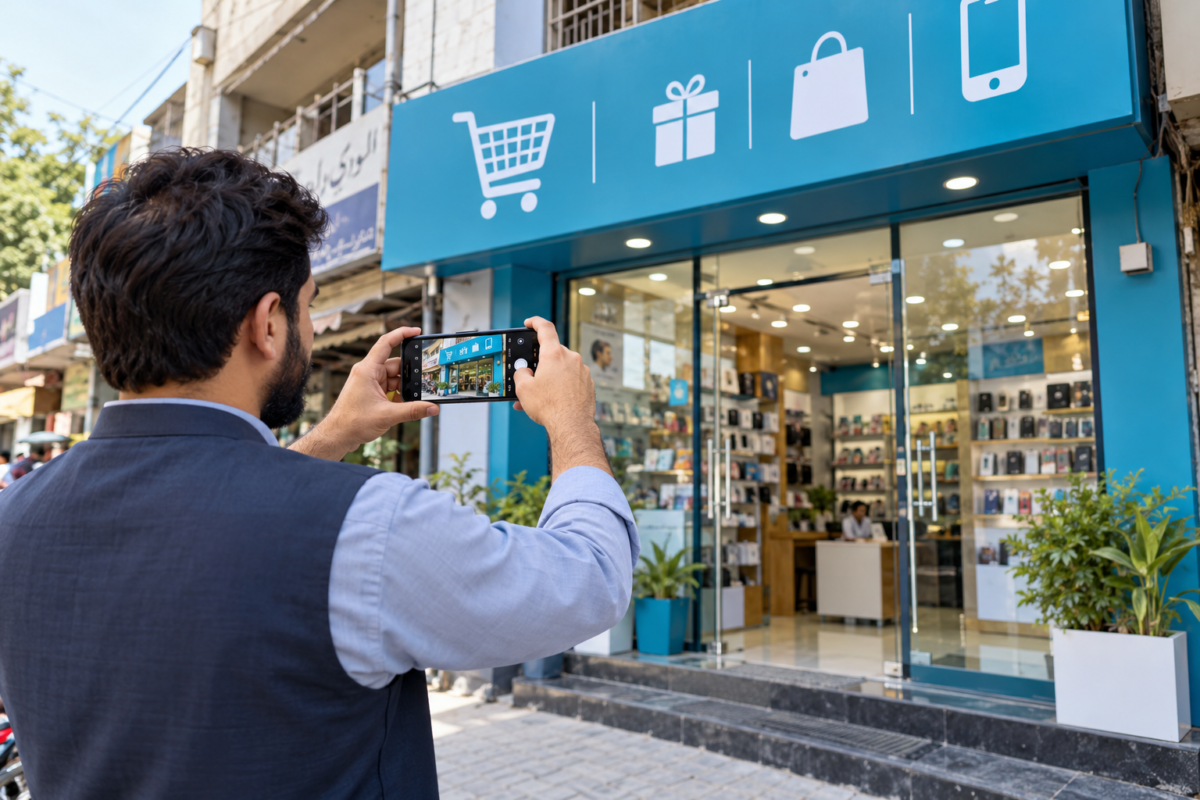
What Google Wants to See
Plan your video around three things:
- Location: your business at the address you listed, with street signs, neighbouring shops, or a landmark that ties it to that spot.
- Business: permanent signage with your business name, plus equipment, stock, or branded items that show you operate there.
- Management: proof that you control the premises, such as opening the locked door or shutter with your own key, or getting into a staff-only area.
Before You Press Record
Check a few things first. The address on your profile should match your signboard and documents exactly, including the building name and floor. Remove any extra words from the business name so it matches the sign. Charge your phone, clean the lens, and film in daylight. Tell staff you will be recording so nobody blocks the entrance.
If you are on an upper floor, plan to film the building entrance and name, the stairs or lift, and then your door with its sign. That path shows exactly where you are, which a close-up of an office door alone does not.
A Recording Plan That Works
- Start outside. Film the road name or a well-known landmark, then pan slowly to the shops next to you.
- Walk to your entrance and hold steady on the signboard so the name is readable.
- Open the door or shutter on camera with your own key.
- Go inside and show your working area: counter, tools, machines, stock, or a staffed office.
- Show something with your business name on it, such as receipts, letterhead, or packaging.
- If you have a registration document or a screen showing the business name, show it at the end.
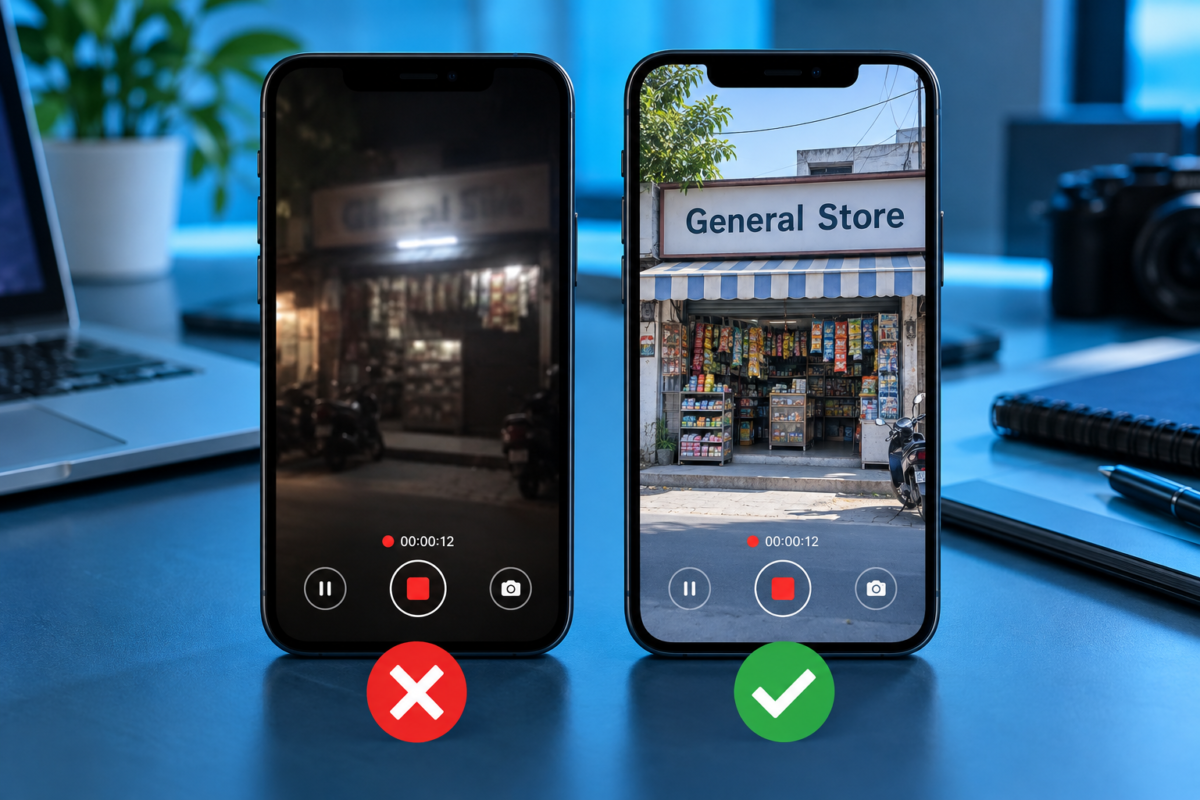
One to two minutes is usually enough. Move slowly and keep the phone steady. Most GBP verification problems come from what was left out of the clip, not from how it was filmed.
Why Videos Get Rejected
- The video was edited, cut, or joined together. It must be one continuous clip.
- There was no permanent signage, only a banner or a sheet of paper.
- The street and surroundings were not shown, so nothing links the video to the address.
- The camera moved too fast or the footage was too dark to read anything.
- The address on the profile did not match what was filmed.
- The business name on the profile included words that are not on the signboard.
Service Area Businesses
If customers do not visit you, you still need to verify, but you film differently. Show your branded vehicle, your tools, your business documents, and the workshop or store room where you keep your equipment. Google knows these businesses have no shopfront, but it still wants proof that the business is real and that you run it. Ask whoever provides your SEO services in Pakistan to confirm the profile type before you film, because the two setups need different footage.
If Your Video Is Rejected
Do not record the same video again straight away. Read the reason, fix the gap, and then try again. If signage was the problem, put up a proper board first. If the address did not match, correct the profile. After a rejection, Google may offer other verification options or ask for more evidence. Repeated failed attempts can lead to a suspension, so treat each one carefully and change something real before the next try.
After You Verify
Once you verify Google Business Profile ownership, remember that verification is the start, not the finish. Complete every field, add real photos, set special hours for Ramadan, Eid, and public holidays, and start asking customers for reviews. A verified but half-empty profile will struggle against busy competitors, which is where local SEO services in Pakistan really begin.
Access and Security
Never share your Google password, even with an SEO service provider in Pakistan working on your listing. Add them as a manager on the profile instead, so you stay the owner and can remove their access later. This protects you if you change agencies or staff leave.
Common Situations in Pakistan
A few cases come up often. If your shop is inside a plaza or market, film the plaza name board, the corridor, and then your shop sign, so the chain from address to business is clear. If you share a floor with other offices, make sure your own name board is visible rather than only the building directory. If your signboard is in Urdu, that is fine, but the business name on the profile should match what the board says in meaning and spelling as closely as possible.
If your business runs from a home, do not film a living room and call it an office. Show the dedicated work area, equipment, and stock instead, and hide the address on the profile as a service area business.
Need Help?
Profile details should always be checked before filming, because most rejections start with a mismatch there. If you would rather have someone plan the recording with you, that is part of what we do as a digital marketing agency in Pakistan.
Frequently Asked Questions
1. How long should the verification video be?
One to two minutes is usually enough, as long as it clearly shows the location, signage, operations, and proof that you manage the premises.
2. Can I edit the verification video?
No. It must be one continuous, unedited recording. Cuts or edits are a common reason for rejection.
3. What if my business has no signboard?
Put up permanent signage before recording. Temporary banners or printed paper often lead to rejection.
4. How long does Google take to review the video?
Often a few days, though some reviews take longer.
5. Can a service area business verify by video?
Yes. Film your branded vehicle, tools, equipment, and business documents instead of a shopfront.