
Google core update recovery starts with patience and data, not quick edits. A core update is a broad change to how Google assesses content across the whole web. It does not target individual sites, and there is usually no single fix. The sites that recover are the ones that measure the damage properly, find the pages that actually lost ground, and improve them in ways that help readers.
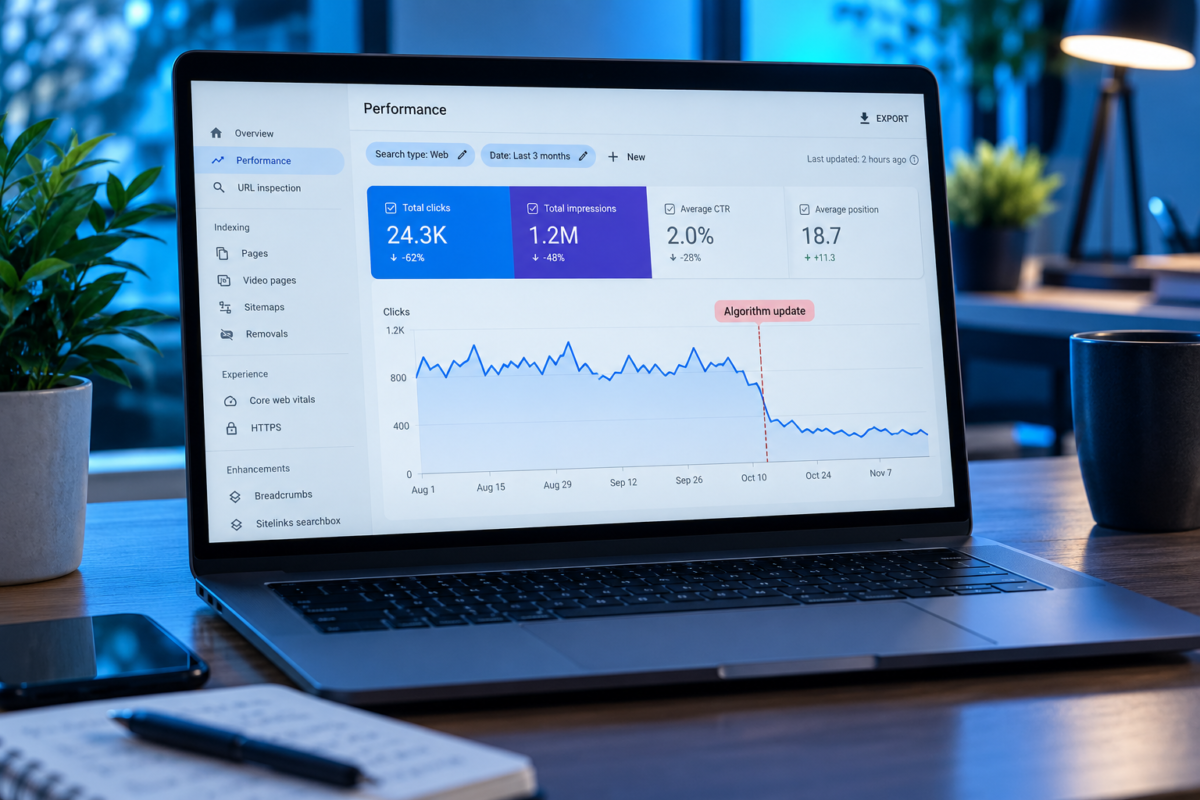
What Happened in 2026
Google confirmed two broad core updates this year. The March 2026 core update ran from March 27 to April 8. The May 2026 core update ran from May 21 to June 2. Tracking tools also picked up volatility in early September that Google did not confirm as an update. Official dates for confirmed updates are listed on the Google Search Status Dashboard.
Step 1: Confirm the Update Caused the Drop
Not every fall in traffic is a core update. Before blaming Google, rule out a broken analytics tag, a site migration, a plugin that added noindex tags, server problems, or normal seasonal dips. Then compare your drop dates with the rollout dates. If traffic fell during a rollout and nothing changed on your site, the update is the likely cause.
Step 2: Wait, Then Compare the Right Weeks
Google's own guidance on core updates recommends waiting at least a full week after an update finishes before analysing Search Console. Then compare the week after the update with the week before it started. Rankings often move up and down during a rollout, so early data can mislead you.
Step 3: Find Where the Loss Actually Is
In the Performance report, compare the two periods and sort by pages, then by queries. Look for patterns:
- Did a handful of pages lose most of the traffic, or did everything drop a little?
- Did informational articles drop while service pages held steady?
- Did pages slip from position 2 to 4, or from 4 to 29?
Google makes a useful distinction here. A small slide of a few positions usually needs no major action, and changing pages that are still performing well can do more harm than good. A large fall calls for a closer look at that page.
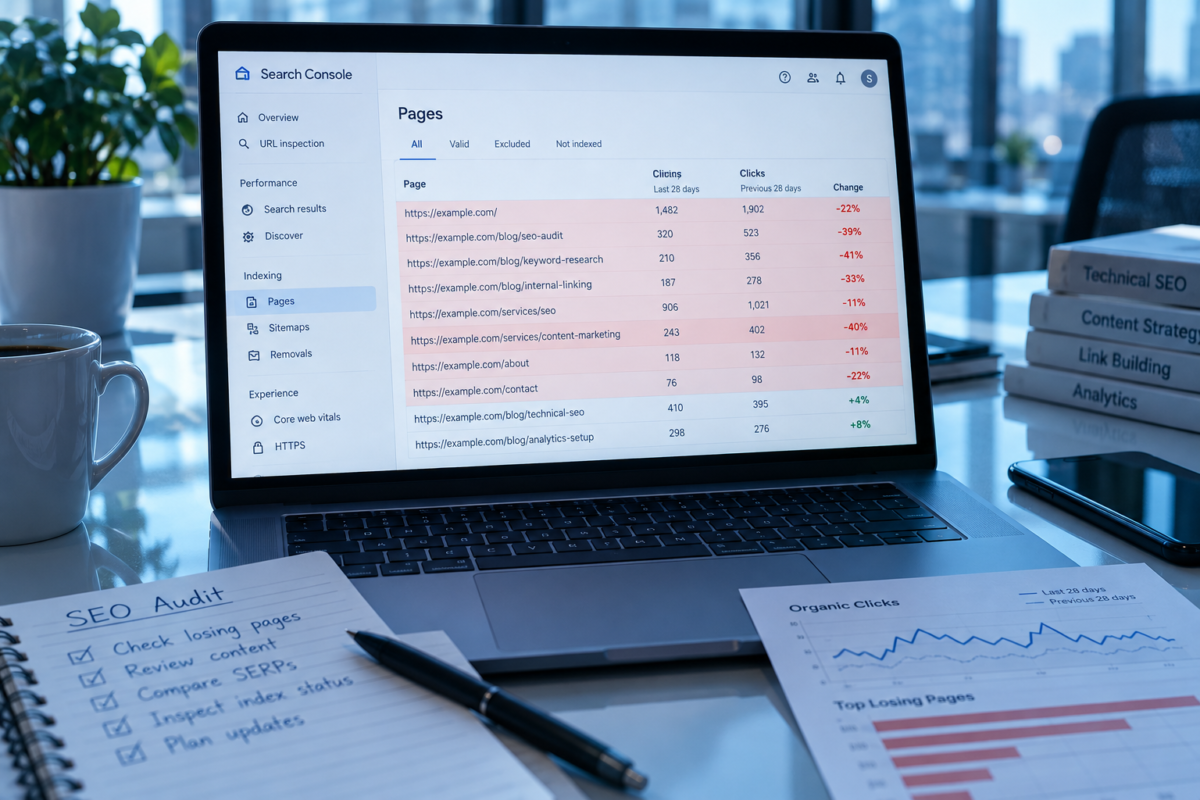
Step 4: Review the Pages That Lost Most
For each page with a big loss, search its main query and read the pages that now rank above yours. Then ask honest questions, many of which come from Google's own guidance on helpful content:
- Does our page answer the question more clearly and completely than these?
- Does it show first-hand experience, or could anyone have written it?
- Is the information current and accurate?
- Does it cover a topic our business genuinely knows about?
- Is it easy to read, or cluttered with pop-ups and slow elements?
Step 5: Improve, Merge, or Remove
- Improve pages that are close to good by adding real examples, current data, and answers to questions they miss
- Merge several thin posts on the same topic into one strong guide and redirect the old addresses
- Remove pages with no real value to readers, such as old thin posts on topics you no longer cover
Do not rewrite a page just to make it look fresh. Changing dates or rewording sentences without adding anything is not an improvement, and Google's guidance warns against it.
Step 6: Look at the Whole Site
Sometimes the pages that dropped are fine and the issue is the wider site. Check for large numbers of thin tag or archive pages, outdated posts, and heavy ads that make pages hard to read. Improving the overall quality of the site, not only the pages that fell, often helps at the next update. A review at that level is part of any serious SEO services in Pakistan engagement, not an optional extra.
Step 7: Give It Time and Keep a Log
Recovery is rarely quick. Some pages improve over the following weeks as Google recrawls them. Others only recover fully at a later core update. Keep a simple record of what you changed and when, so you can link later movement to specific work.
What Not to Do
- Do not rewrite every page at once, or you will not know what helped
- Do not change pages that did not lose traffic
- Do not buy links to make up the difference, since that brings spam risk
- Do not assume AI-written content is the cause without checking the pages themselves
If an SEO service provider in Pakistan tells you to rewrite the whole site after an update, ask them first which pages actually lost traffic.
Is It a Penalty?
No. A ranking drop after a 2026 Google core update rollout is not a penalty. Manual actions are separate and appear in the Manual actions report in Search Console. If that report is empty, you are dealing with a quality reassessment, not a punishment. A digital marketing agency in Pakistan should be able to confirm that from your Search Console in a few minutes.
If you would like a second opinion, post-update reviews with a page-by-page action list are part of our ongoing SEO packages in Pakistan. Whoever you ask, they should separate update losses from technical problems before suggesting any changes.
Frequently Asked Questions
1. How long does recovery from a core update take?
It varies. Some pages recover within weeks after improvements are recrawled, while others only recover fully at a later core update.
2. When should I start analysing a drop?
Google recommends waiting at least a full week after the update finishes, then comparing the week after with the week before it started.
3. Were there core updates in 2026?
Yes. The March 2026 core update ran from March 27 to April 8, and the May 2026 core update ran from May 21 to June 2.
4. Is a core update drop a penalty?
No. Core updates reassess quality across the web. Manual actions are separate and appear in Search Console.
5. Should I delete pages after a core update?
Only pages with no real value to readers. Many pages are better improved or merged into a stronger guide.